
Benefits
Why scan your Drive regularly to prevent data leaks
See every public file
No need to open each file and check its Share settings. Wistorix puts everything in one table, with a recommendation to keep or revoke.
Revoke access with one click
Pick single files, whole folders or a list of emails and revoke in bulk. Files go private as soon as you confirm, without editing them one by one.
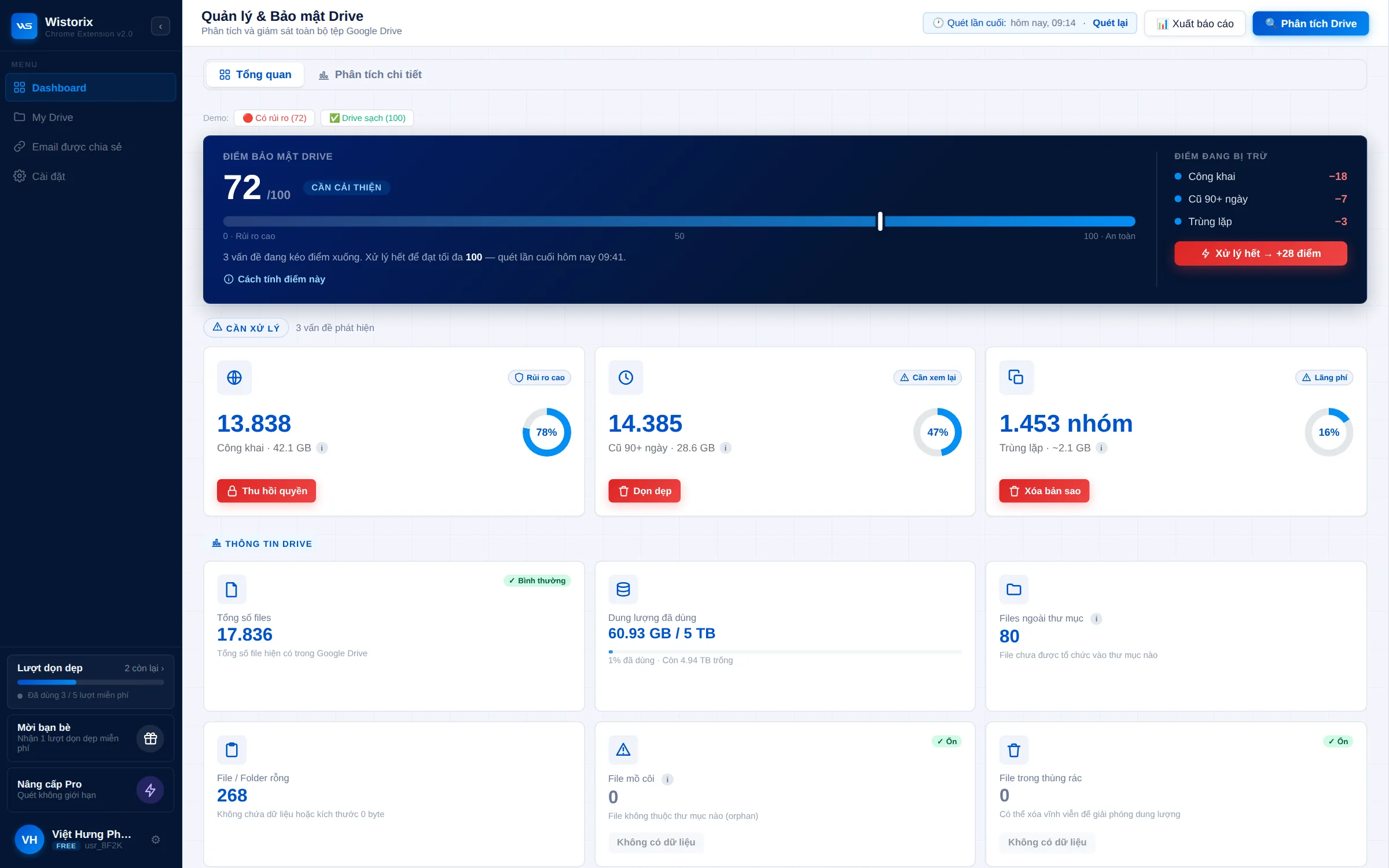
Every scan scores your Drive out of 100 and sorts risky files into 5 groups, each with a fix button right on screen.
Data security risk ranking
Every file is ranked by sharing risk, so you know what to fix first instead of getting a flat list.
Permissions read through the Google Drive API
Wistorix checks the sharing settings of every file across your Drive, so you don't have to open each folder to check.


First scan is free
What is your Drive
sharing publicly?
sharing publicly?
Add Wistorix to Chrome, sign in with Google and scan in minutes. You'll see every public, empty or duplicate file and fix it on the spot.