Security, access control and
file handover
on Google Drive Google Drive

For individuals and teams who need to know who still has access,
revoke it when needed and hand files over when people change roles.
Wistorix scanning and reviewing a Google Drive
Free scan
No credit card needed
Disconnect access anytime
Sign in with Google OAuth
Common problems

The more data you have,
the harder it is to manage.

See if any of these 3 situations sound familiar:

Uncontrolled sharing

Every link you send to a client or partner is access with no expiry date.

ResultImportant data easily ends up with outsiders.

People leave, data goes with them

Files stay under a personal account until ownership is transferred.

ResultSlow handovers, important files deleted by mistake.

Always buying more storage

Duplicates and old files eat up gigabytes and nobody knows what to keep.

ResultYou pay for more storage and Drive is still a mess.

With Wistorix: revoking access, handing over files and reviewing your Drive all take just 1 CLICK

Free scan
Core value

Wistorix helps you see who has access to Google Drive logo Google Drive and take back control

About Wistorix
01
One scan and Wistorix reviews every issue in your Google Drive
File ownership
Ownership
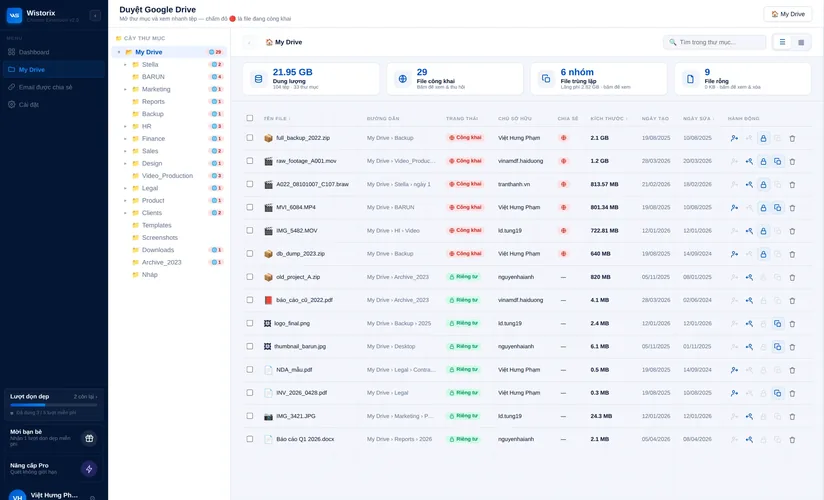
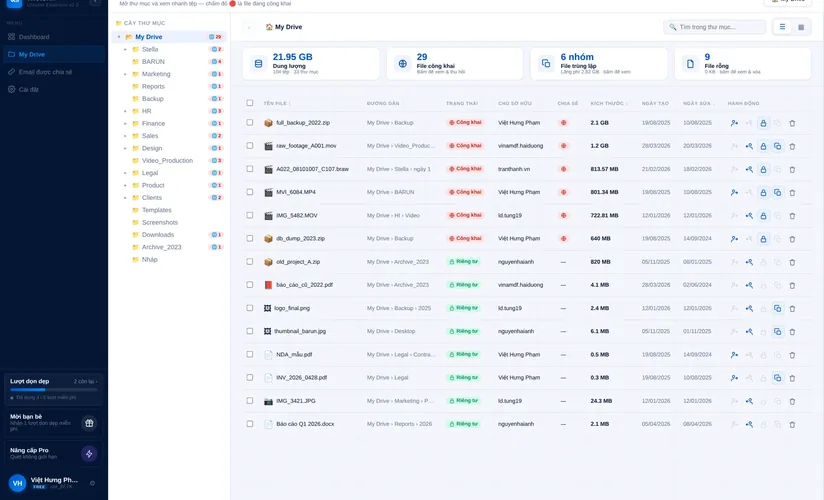
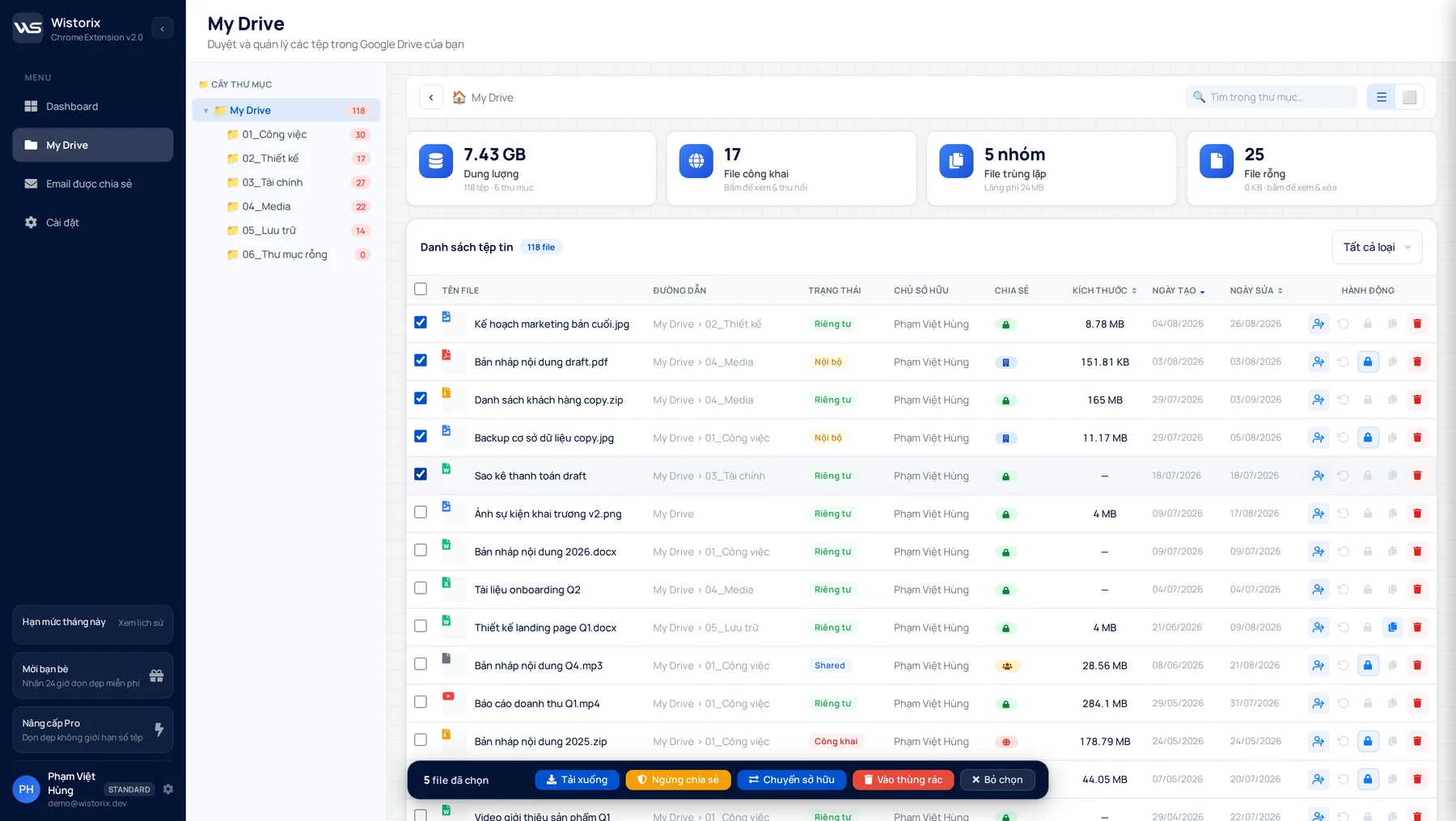
See who owns every file. Transfer ownership in bulk to the right person when a project is handed over or someone leaves.
Storage optimization
Clean up
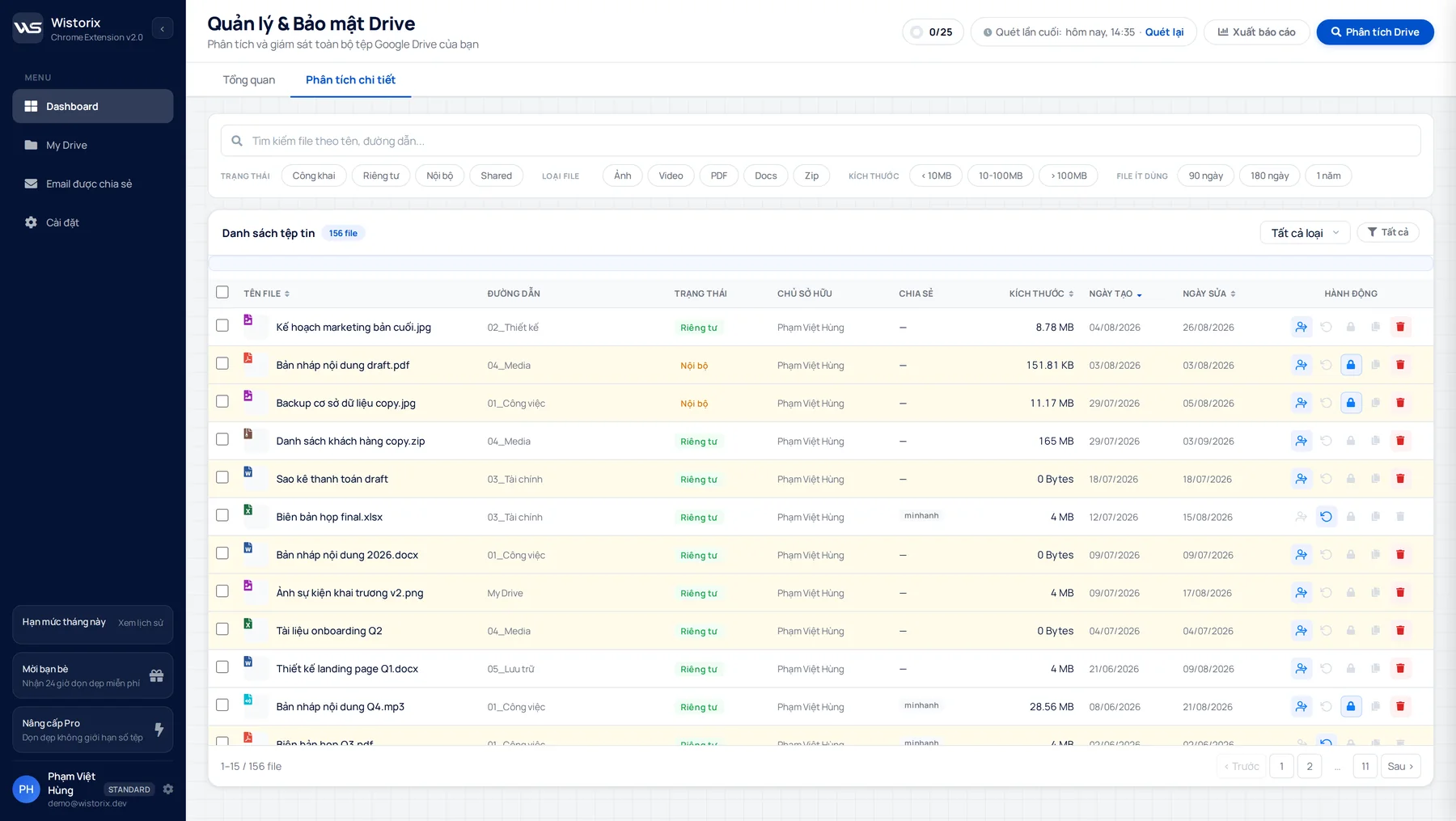
Group duplicates, empty files, old files and files outside any folder, then remove them in bulk to win back Drive storage without deleting the wrong thing.
Security
Security
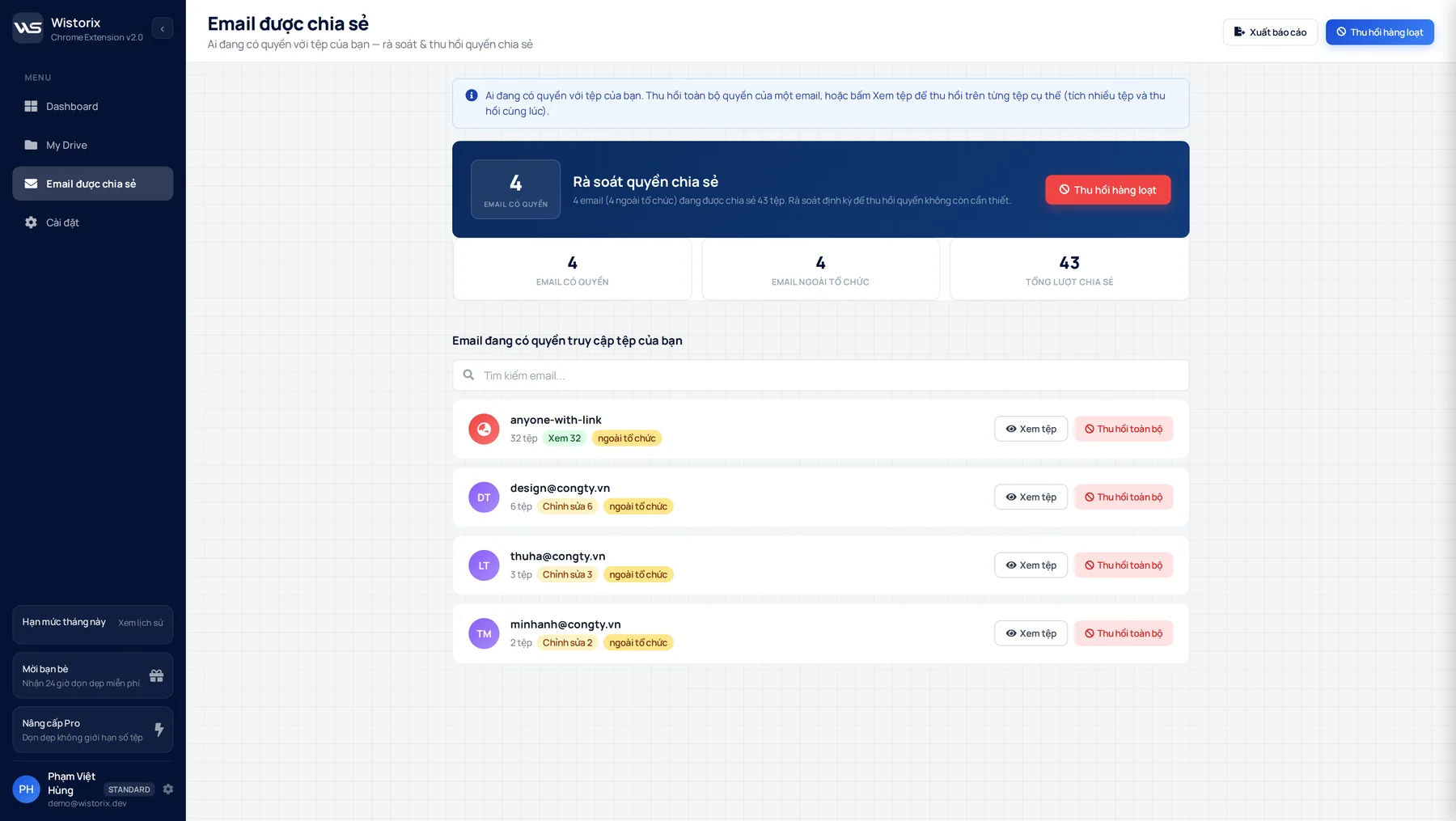
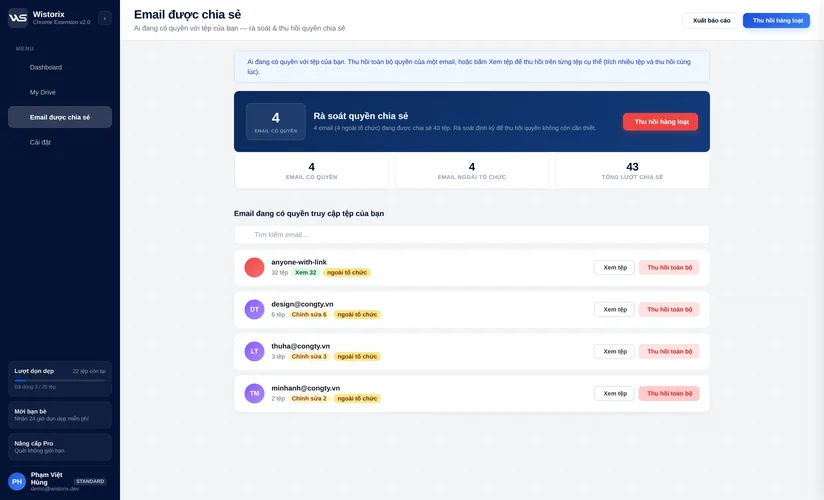
Review sharing, outside emails and public links, then revoke them all in one go.
Key features

How Wistorix works

Wistorix shows you exactly what needs fixing, and fixes it as fast as possible.
01OVERVIEW

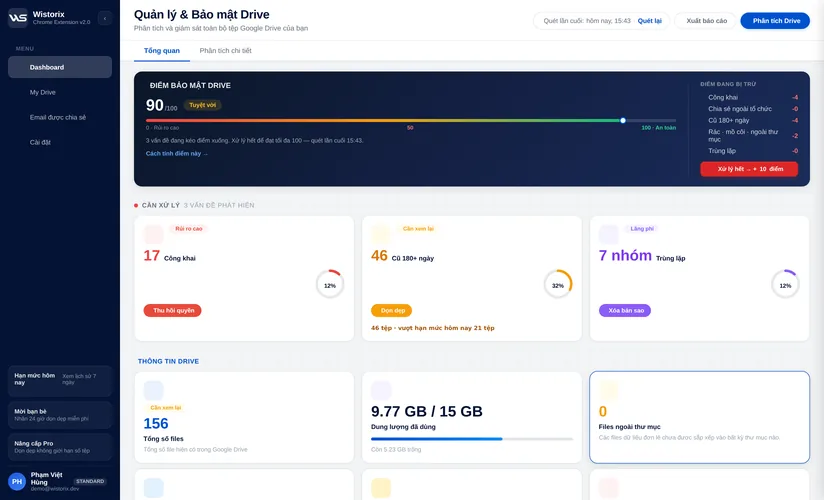
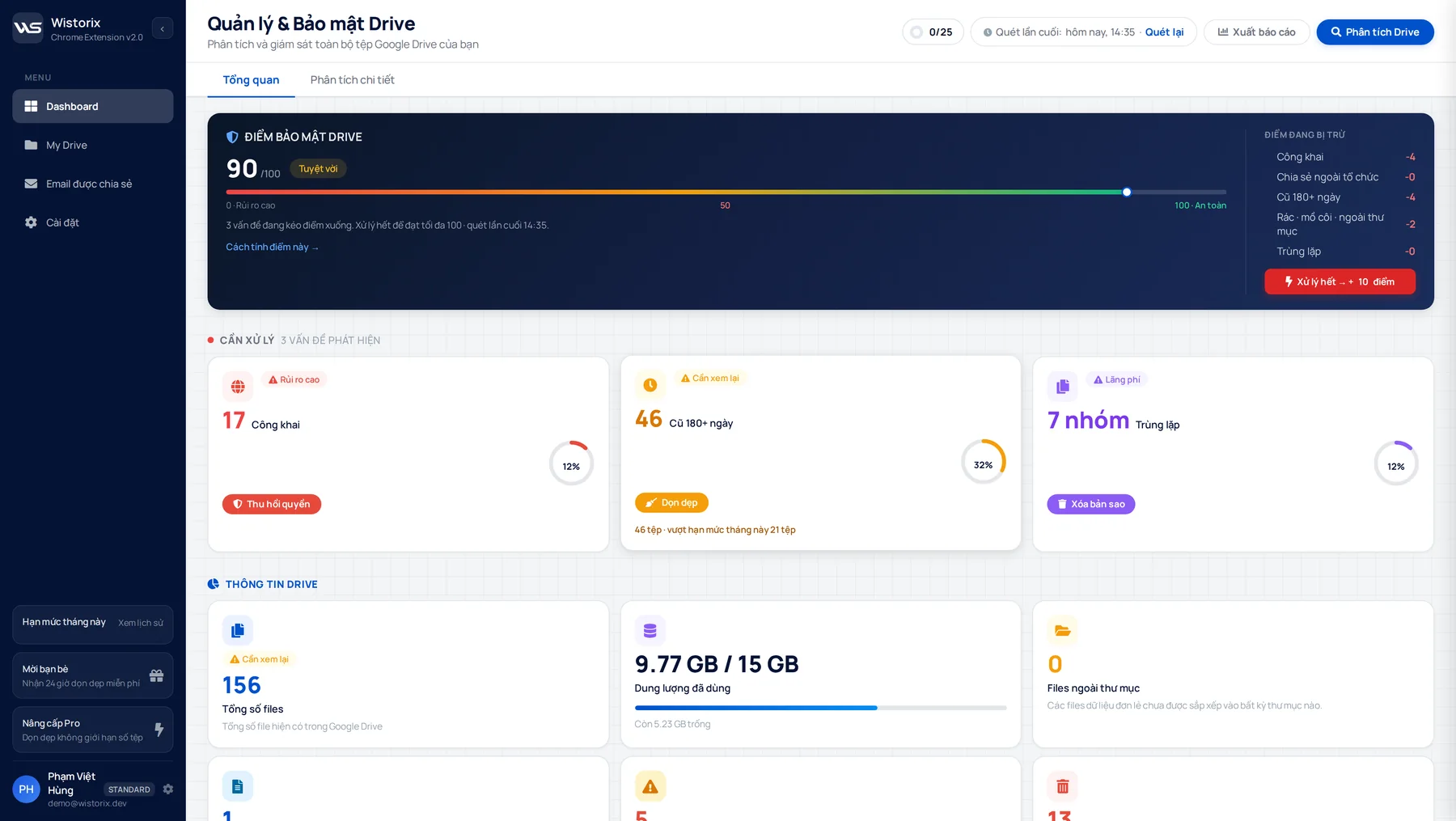
Drive security score

Your Drive gets a score out of 100 and issues are grouped so you know what to fix first.

  • See which areas cost you points
  • 5 risk groups sorted automatically on every scan
  • Fix each group with one click
  • 0-100 score
  • Updated on every scan
Wistorix · Chrome Extension
Wistorix dashboard scoring Drive security and listing the risk groups to fix
Who it's for

Solutions for every setupFrom individuals to businesses

Wistorix helps individuals, teams and businesses manage their data better.

Creative freelancer working on client documents on a laptop
Individual · Freelancer

Optimize Google Drive storage

Years of messy data. Drive keeps filling up and you can't tell what to keep or delete.

  • Find duplicates, empty files and files nobody opens
  • See who still has access to each client's documents
  • Revoke all access for one email in one go
Works with
See pricing
Data safety

Frequently asked questions

How Wistorix works on your Google Drive
Does Wistorix delete my files on its own?

No. You pick the files and click; Wistorix does nothing by itself. Deleted files go to Drive Trash and can be restored for 30 days. Wistorix never deletes permanently.

What permissions does Wistorix ask for?

Google Drive access, to read your file list, change sharing settings and transfer ownership. Google shows the full list on its consent screen before you approve.

Does Wistorix know my Google password?

No. You sign in on Google's own screen, not on a Wistorix screen. We never see or store your password.

Does the recipient have to accept an ownership transfer?

For personal Google accounts, yes: Google requires the recipient to accept before ownership changes. Wistorix sends the request and shows you which ones were accepted and which are still pending.

How far does the free plan go?

Scan and view reports as often as you like. Changes such as revoking access, deleting, restoring and transferring ownership share one quota of 25 files per month on 1 Drive. Need more? Buy a 72-hour Pass for $1.39. A second Drive needs the Multi-Wistorix plan. No credit card needed.

Once I remove Wistorix, does it keep access?

No. In your Google Account, under Security, third-party apps, remove Wistorix and every way in is closed, no need to tell us. Changes you already made in Drive stay as they are.

Where does Wistorix run?

It's a Chrome extension for desktop. Install it from Chrome, sign in with Google and work right in a browser tab.

Have another question? Send it to the Wistorix team and we'll reply during business hours.
Free to start
Scan your whole Drive as often as you like and optimize 25 files a month for free. Need more? Get a 72-hour Pass for $1.39, or a monthly plan from $2.29.
First scan is free
What is your Drive
sharing publicly?
Add Wistorix to Chrome, sign in with Google and scan in minutes. You'll see who can open which file, revoke access and hand files over on the spot.