

The complete project handover checklist before you close a project

A project handover checklist lets you close a project in Google Drive on the same day you close it on paper. This guide gives you 12 items in four groups: final files, supporting documents, access and archiving. It also includes a short handover record template and a quick check to run before you send the client your closing email.
In this guide
- Why you need a project handover checklist
- Group 1: Final files
- Group 2: Supporting documents
- Group 3: Access
- Group 4: Archiving
- Adjust the checklist to each type of project
- A short handover record template
- A quick check before you close the project
- Frequently asked questions
Why you need a project handover checklist
Freelancers and agencies often have a detailed checklist for starting work: the brief, the contract, the asset folder. Very few have a checklist for finishing it. Once the client approves the final version and the payment arrives, the project is marked done in the task manager, while the folder in Drive stays as open as it was on day one.
The consequences arrive slowly, but they do arrive. Six months later the client asks for the source files and you cannot remember which version was the final one. A freelancer who finished long ago can still open the folder, and the review link you sent the client is still public.
Running every project handover against a fixed list solves all three problems in a single afternoon. Instead of relying on memory at the end of a busy project, you work through the same items every time, in the same order. Nothing depends on who happens to be in charge that week.
The checklist below is written for projects run in Google Drive, but the groups apply to any storage system. Copy it into a template file and reuse it for every project handover. After a few rounds, it stops feeling like extra work and becomes part of how a project ends.
Group 1: Final files in a project handover
The first group answers the most important question: what exactly does the client receive? Everything else in the checklist depends on getting this part right.
- Gather all final files in a separate Handover folder, apart from the drafts
- Name the final files with one consistent convention that includes the date and the version
- Export any extra formats the client needs, such as PDF for documents or a compressed archive for original images
The first item looks simple, but it saves the most time later. When the client only has to open one folder, they do not have to ask you which file is the final one. You also do not have to search through dozens of revisions to find it again.
A naming convention matters for the same reason. A name that starts with the date and ends with the version tells anyone who opens the folder what the file is and when it was approved, without opening it. If the client keeps the final files for years, that clarity is worth more than any clever folder layout.
Group 2: Supporting documents
Final files are only useful when the people receiving them know how to use them, so do not finish a project handover without instructions. The second group makes sure the files arrive with enough context.
- A short readme file: what the project includes and what each folder contains
- The source assets needed to work with the files: fonts, licensed images and source design files if the contract includes them
- License information and usage limits for any third-party assets
Check item five against the contract. Some projects hand over only the exported files, while others include the source files as well. State clearly in the readme what is included and what is not, so nobody misunderstands it later.
Item six is easy to forget and awkward to fix afterwards. If an image or a font was licensed for a specific use, note that next to the file. The client can then reuse the material with confidence instead of guessing what they are allowed to do with it.
Group 3: Access after the project handover
This is the group people skip most often, because once the files are delivered nothing feels urgent anymore. It is also the group that keeps your data, and your client's data, from staying open long after the project has closed.
- Transfer ownership of the Handover folder to the client if the contract requires it, or make a copy for them
- Remove access for freelancers who have finished their work, or downgrade them to viewer
- Switch every review link you sent the client from public to Restricted
For item seven, remember that each file has exactly one owner, and transferring a folder does not transfer the files inside it. Read Google's guide on how to transfer ownership of a file before you start. The person-by-person process for removing access is covered in the guide to revoking access in Google Drive.
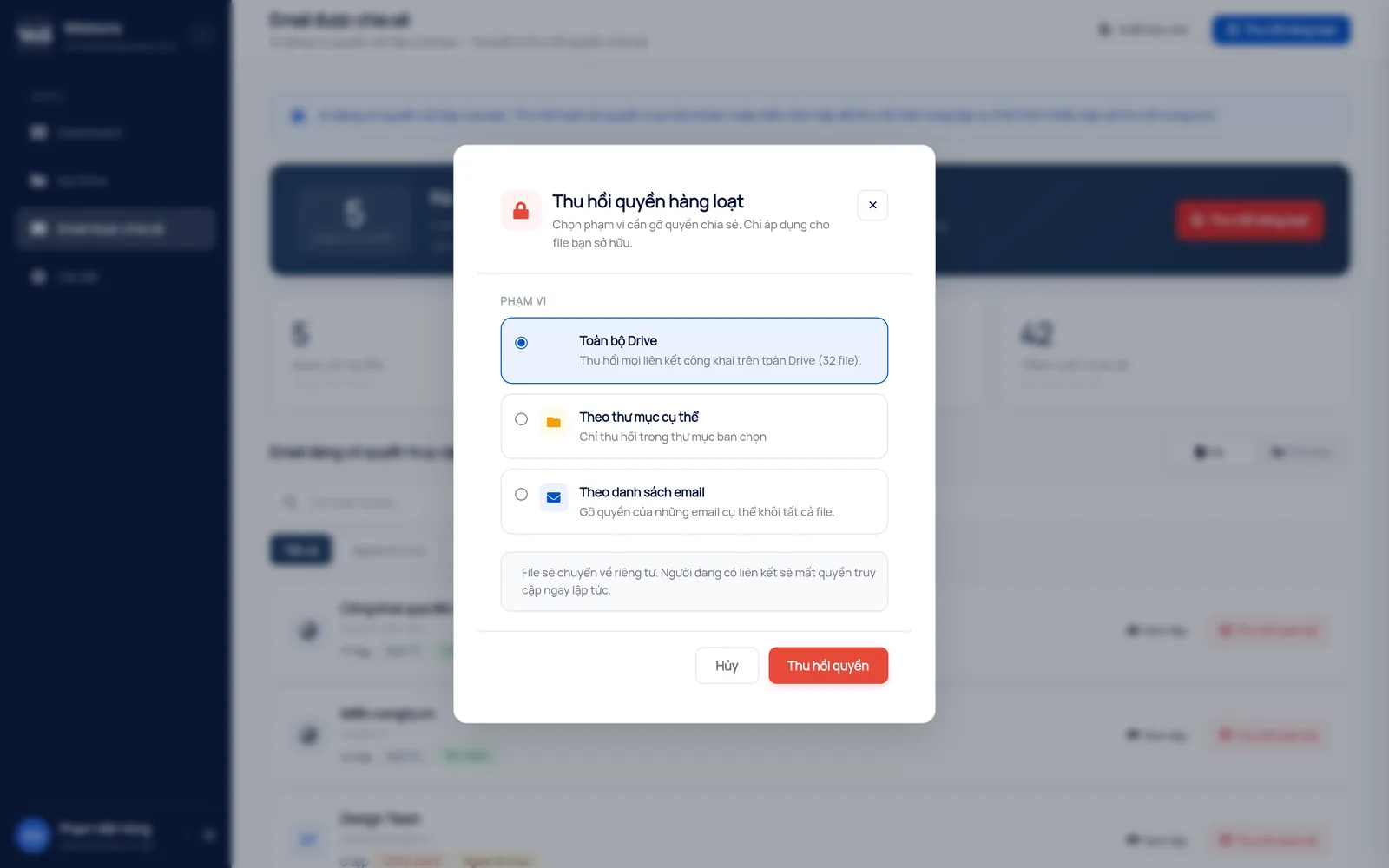
When a project has many files and many people, Wistorix lets you revoke access in bulk for one specific folder or for a list of email addresses, instead of opening each file. If the client needs to open something again later, you can share it again at any time.
Group 4: Archiving
The last group of the checklist puts the project folder into a resting state: tidy, and easy to find again when you need it.
- Delete duplicate drafts and temporary files that no longer have value, while keeping the important history
- Move the whole project folder into an Archive area where only the management team can edit
- Write the closing date and the person in charge into the readme
When you delete drafts, the files only go to the Google Drive Trash, where you can restore them for 30 days, so there is no need to worry about deleting the wrong one. If the folder has many duplicate copies, the guide to finding duplicate files in Google Drive shows how to spot them quickly.
Item eleven matters more than it seems. A read-only archive stops someone from editing an old file by accident while looking for a template. It also makes it obvious at a glance which projects are active and which are closed.
Adjust the project handover checklist to each type of project
The 12 items above are a general framework. Each type of project handover needs a slightly different emphasis, depending on who receives the files and how large they are.
Agencies working for many clients
For an agency, a project handover usually involves many outside people: the client, influencers, printers and video production crews. The access group needs the most care, because each of these parties was given part of the folder at some point. Review the list of email addresses outside your organization before you send the closing email.
Freelancers working alone
Freelancers often work on a personal Drive with 15 GB of free storage, so the archiving group matters most. After the handover, download an archive copy to an external drive if you need to keep it for a long time. Then remove the heavy drafts from Drive to make room for the next project.
Internal projects inside a company
Here the recipient is another department, so the supporting documents group matters most. The readme should say clearly who takes over from here. That way, future questions do not land on the person who has already moved on to another project.
A short project handover record template
A handover record does not need to be long. Half a page with the items below is enough for both sides to refer back to when questions come up later.
- Project name, handover date, the person handing over and the person receiving
- The link to the Handover folder and a list of the main files
- What is handed over and what is not, according to the contract
- How long you keep an archive copy and how the client can ask for files again
- Confirmation that freelancer access has been removed and review links are closed
Save the record inside the Handover folder. Anyone who opens the folder later can then read the context right away, without searching through old emails to work out what was agreed.
A quick check before you close the project handover
Before you send the closing email and sign off the project handover, spend ten minutes answering five questions. If you are unsure about any answer, go back to the matching group in the checklist.
- Can the client open the Handover folder and download every file?
- Are any project files still sitting outside the project folder?
- Is any link still set to anyone with the link?
- Does anyone outside the core team still have edit access?
- Are there files owned by a freelancer that have not been transferred to you?
A good project handover checklist is one that gets reused. This one focuses on a single project. If you need to hand over files when an employee leaves or a vendor contract ends, the Google Drive handover guide covers all four situations.
Frequently asked questions
Should I transfer ownership of all files to the client?
Only if the contract requires it. Many agencies keep ownership and share the files with the client as viewers, or make a copy for the client so each side keeps its own archive.
How long should I keep the project archive?
It depends on your agreement with the client, and 6 to 12 months is common. State the period in the handover record so the client knows when to save their own copies.
What if a freelancer owns files in the project folder?
Ask them to transfer ownership to you before the collaboration ends. If that is not possible because they belong to a different organization, make a copy so that you are the owner.
Does this checklist work for internal projects?
Yes. Replace the client with the department receiving the results, and the four groups stay the same: final files, supporting documents, access and archiving.



sharing publicly?